
Upgrading from checkout.liquid to Shopify Checkout Extensibility in 2026
Checkout.liquid is deprecated. If your store uses it for tracking, upsells, or custom logic, here's how to migrate to Checkout Extensibility
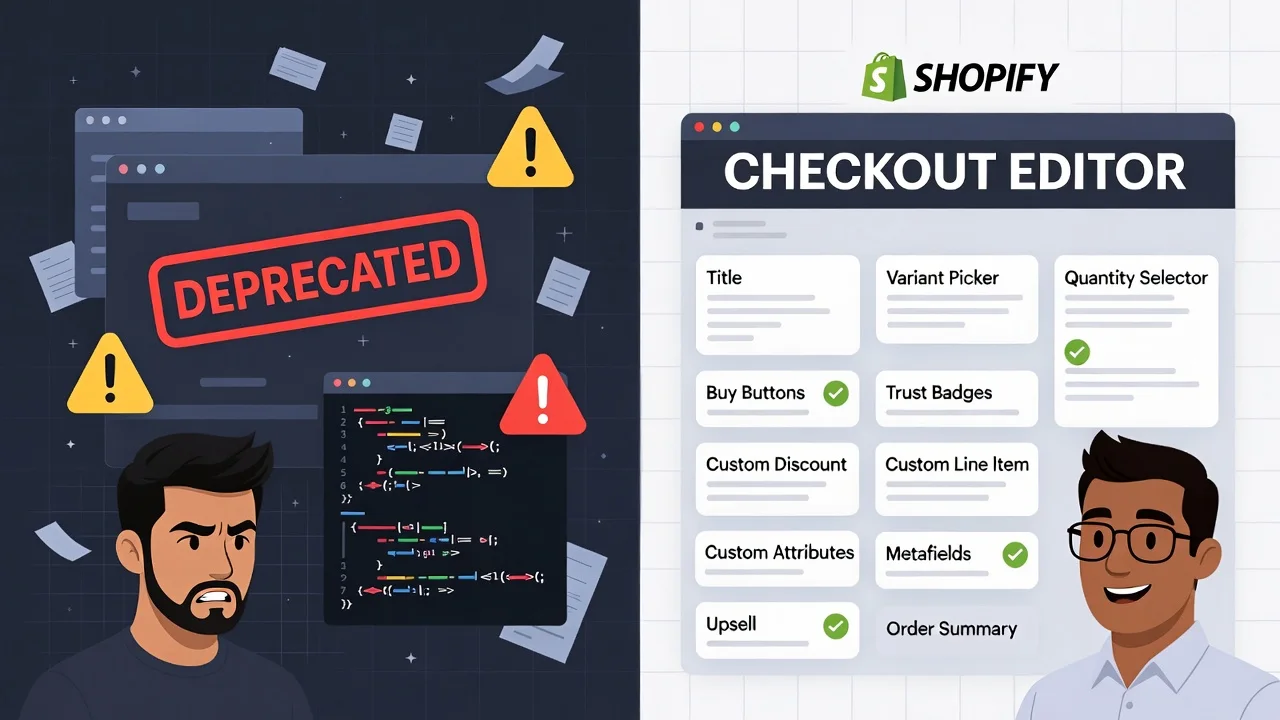
If you’ve recently logged into your Shopify admin and you see a notice that says “Shopify checkout liquid deprecated,” don’t panic. This message is not as catastrophic as you think. Shopify is simply trying to tell you that the old path is closed and you must migrate to Shopify Checkout Extensibility. Stores that relied on custom checkout scripts need to make the switch.
This framework replaces heavy Liquid scripts with sandboxed UI Extensions and App Blocks, giving you faster performance, native Shop Pay compatibility, and upgrade-safe integrations that won’t break with each platform release. The good news is that the migration is straightforward, and the new system comes with better benefits.
This guide walks you through everything you need to know. What checkout.liquid was, why Shopify killed it, what replaces it, and exactly how to migrate your store without losing functionality or revenue.
TL;DR: checkout.liquid is fully deprecated as of January 2026. If your store relies on it for tracking, upsells, or custom logic, you need to migrate to Checkout Extensibility. This guide walks you through the process step by step.
Do I Need to Migrate?
Answer these quick questions to find out:
- Do you use custom scripts in checkout? → Yes, migrate
- Do you have post-purchase upsells via legacy apps? → Yes, migrate
- Is your store on a standard Shopify theme with no customizations? → You're probably fine
Why the “checkout.liquid” era is officially over
For a long time, checkout.liquid provided Shopify merchants with the flexibility to handle the checkout process as they like. This means that you could inject scripts, fire tracking pixels, and build gift-with-purchase logic directly into checkout.
That flexibility helped many stores grow, but it came with tradeoffs that became impossible to ignore as ecommerce scaled. Here are the reasons Shopify is pulling the plug on checkout.liquid and what this means for you as a merchant:
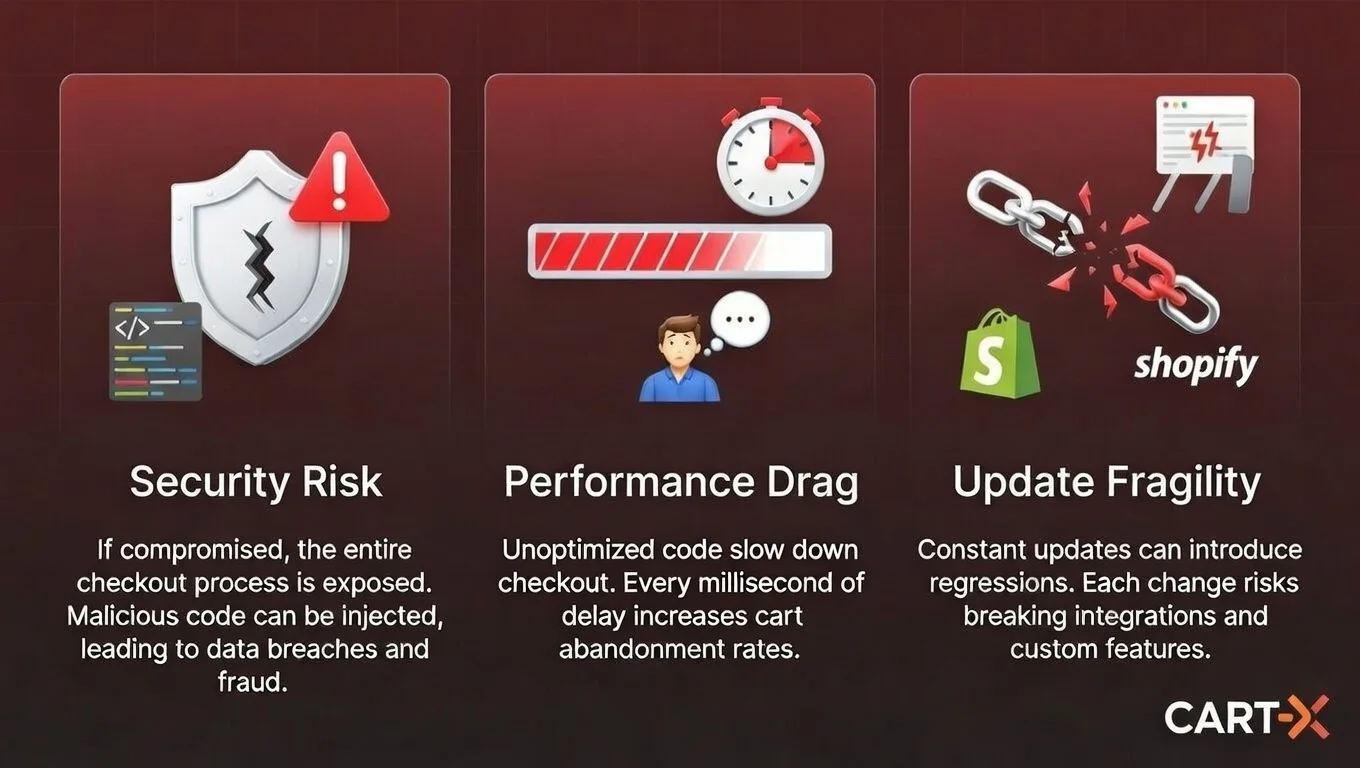
- Open scripts created real risk
checkout.liquid allowed merchants and third-party apps to run arbitrary code inside the most sensitive part of the store: the checkout.
That meant:
- Scripts could conflict with each other
- One bad update could break checkout entirely
- Payment and customer data lived closer to third-party code
As Shopify developed Shop Pay into one of the highest-converting checkout experiences on the internet, this model simply couldn’t scale safely. Shopify Checkout Extensibility prevents third-party scripts from interfering with payment behavior. For merchants, this means fewer outages and fewer compliance headaches.
- Performance became a conversion bottleneck
checkout.liquid allowed for deep customization, but at a cost. Every added script was another file to load the exact moment a customer was deciding whether to complete the purchase. Those delays led to slower load times and more fragile experiences. And since faster checkouts directly increase completion rates, these small delays act as friction, especially for Shop Pay users.
In contrast, Checkout Extensibility fixes this by running within a sandboxed environment designed by Shopify to load faster with all of Shopify’s native checkout optimizations. The result of this is a more efficient checkout and fewer customers dropping out at the finish line.
- Shopify needed an upgrade-safe future
Under the old model, every Shopify platform update came with risk. Custom checkout logic often needed manual fixes, developer intervention, or emergency patches just to keep things working. All these costs merchants time, money, and revenue risk.
With Checkout Extensibility, customizations are upgrade-safe. Since Shopify now controls the foundation, and extensions plug in cleanly, Shopify features can arrive without breaking your setup. That’s better for Shopify. But more importantly, it means you’re less dependent on developer cycles just to keep your checkout functional.
Why this matters for Shopify merchants
Custom logic adds friction that slows down checkout. And friction at checkout hurts both conversion rate and Average Order Value. With every second of load time caused by clunky scripts and unnecessary redirects, the likelihood that a customer will say yes to an additional offer decreases.
As a merchant, this is the time to focus on what to help customers buy more, revise what’s slowing down checkout, and how to build AOV. These are ways you can audit your AOV strategy:
- Remove slow, high-friction scripts that don’t directly increase revenue
- Eliminate legacy upsells that require page reloads or re-entering payment details
- Replace them with native, one-click offers that feel like part of checkout and not an interruption
If you’re deciding which offers to migrate first, start with the ones that matter most to revenue. Our guide on the 3 Different Types of Upsell breaks down which placements actually convert, and which ones just take up space.
What is Checkout Extensibility?
Checkout Extensibility is a structural change in how checkout customization works. Before, you needed to modify checkout by editing files and injecting scripts. But with the new extensibility, you can now customize checkout by adding approved components through apps and extensions.
Instead of asking merchants what code they want to run, Shopify now focuses on the outcome they’re trying to achieve and provides native, built-in ways to make it happen. These are the core building blocks that replace checkout.liquid.
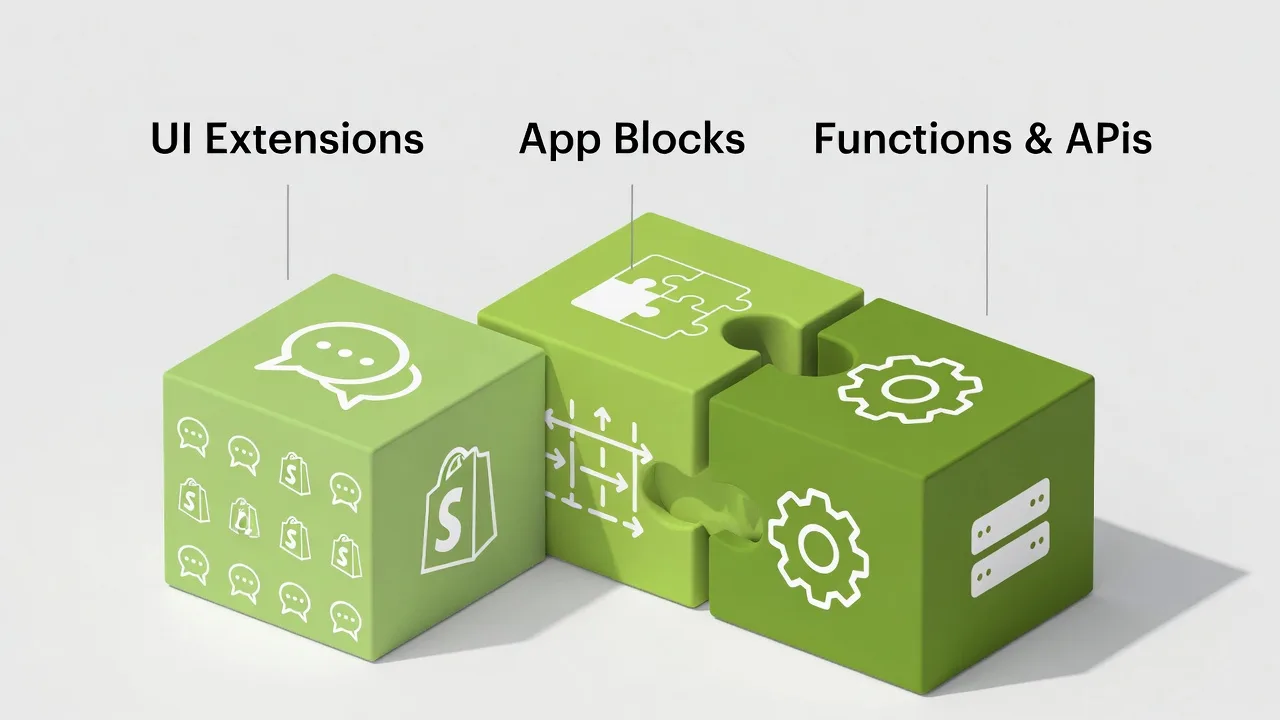
- Checkout UI Extensions
These are sandboxed components that allow apps to add content or logic to specific areas of checkout without direct access to the underlying checkout code. This means you can enhance checkout while preserving speed and stability. Common use cases include:
- Checkout messaging and announcement
- Conditional content based on cart or customer context
- Trust indicators
- Post-purchase offers
Because these now run inside Shopify’s controlled environment, they load faster and won’t conflict with payments of checkout logic.
- App Blocks
For merchants, this is the most important change. App Blocks turns checkout customization into a visual, no-code experience. Instead of editing files, you can now:
- Install a compatible app
- Open the Shopify Checkout Editor
- Drag and drop functionality into checkout or post-purchase pages
For merchants, this means you can enhance checkout while preserving speed and stability.
- Shopify Functions & APIs
For advanced logic like discounts or shipping rules, Shopify now uses server-side functions instead of client-side scripts. These are faster and far more reliable.
The Migration Protocol: Step-by-Step
Migrating from checkout.liquid to Checkout Extensibility is a clear process with practical checkpoints. The goal is to remove what adds friction and replace it with native and safe alternatives. Here’s how to think about the migration in three clear priorities.
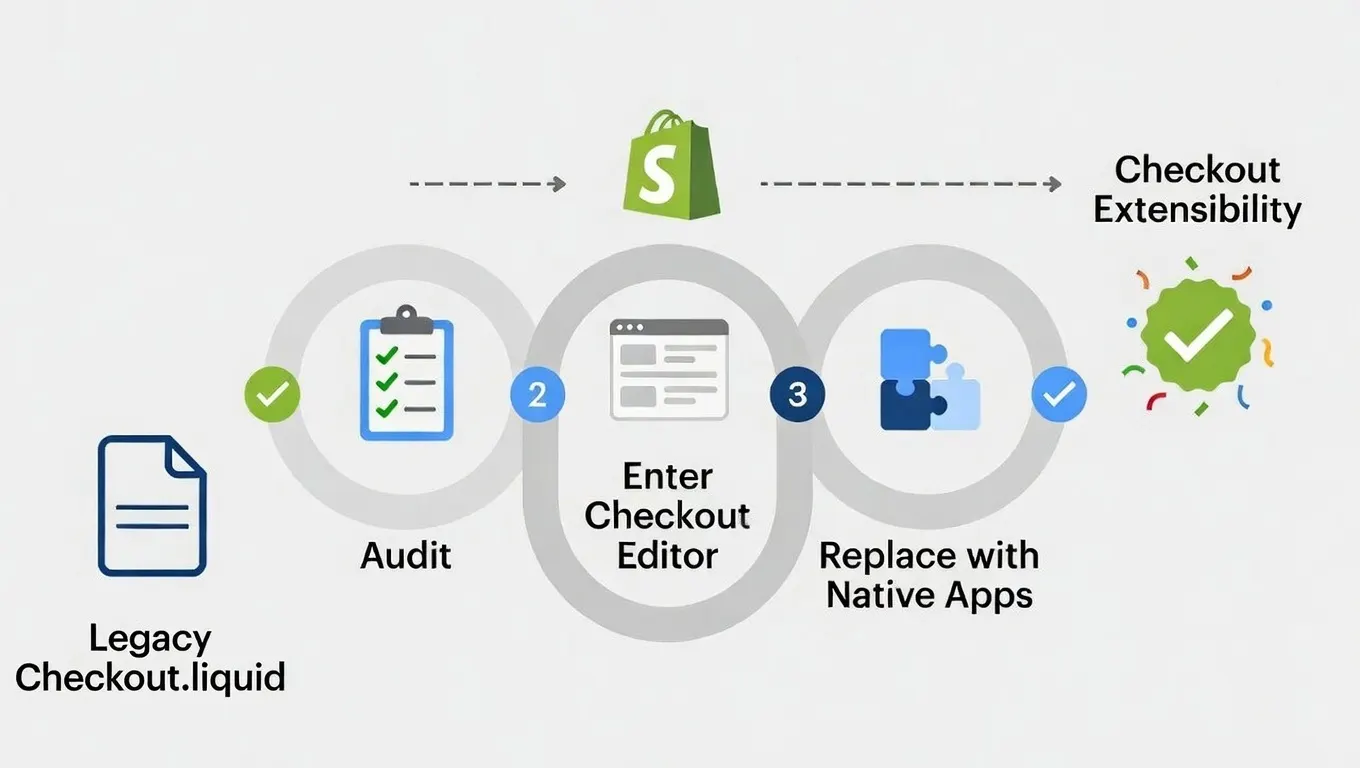
Step 1: Audit Your Existing Checkout Customizations
Before touching anything, build a comprehensive inventory of what lives in your current checkout logic. If your store used checkout.liquid in the past (or still does in limited capacity), document:
- Tracking and attribution that informs real decisions
- Checkout messaging that reduces friction or builds trust
- Conditional logic tied to payment methods, regions, or compliance
- Post-purchase offers that generate measurable revenue
Anything tied to legacy script tags or checkout.liquid should now be treated as temporary. In-checkout customizations (Information, Shipping, Payment) have been locked since August 2024. Post-purchase scripts fully retired in 2025.
So if you’re still relying on any scripts or custom Liquid code here, it’s time to treat them as legacy that need a modern equivalent.
Step 2: Enter the New Shopify Checkout Editor
Instead of editing files, you now work inside Shopify’s Checkout Editor. You can find this by clicking this path: Shopify Admin > Settings > Checkout > Customize.
This editor is the new control center, and it's where you’ll:
- View your checkout draft profile
- Add and configure UI elements
- Insert approved checkout apps and App Blocks
- Adjust text, layout, colors
With this setup, you don’t need a developer to drag, drop and preview changes that were once only possible through Liquid. If a customization can’t be added through approved extensions or App Blocks, it’s a sign it doesn’t belong in checkout anymore.
Step 3: Replace Scripts with Extensibility-Compliant Apps
In 2026, you don’t need to rewrite every old script by hand. Instead, you install apps built to run within Shopify’s extensibility framework that operate within the new checkout standards, upsells, tracking, and post-purchase logic.
For example:
- Tracking & Pixels: Instead of pasting JavaScript in checkout.liquid, leverage apps, or Shopify’s native customer events to fire conversion pixels.
- Custom Fields & UI Elements: UI Extensions are the preferred way to add interactive components to checkout.
- Post-Purchase Offers: App Blocks enable you to seamlessly integrate native Shopify upsells into post-purchase pages without relying on fragile scripts.
Legacy scripts won’t run in Shopify’s sandboxed environment, and trying to force them in only creates blind spots in tracking and performance issues at checkout.
In the new Checkout Extensibility, post-purchase is one of the places where merchants can still influence revenue without touching checkout performance. This is where Cart-X fits naturally. It is a native post-purchase extension using Shopify’s approved app block and APIs. That means it runs and loads the way Shopify expects it to
Implementing Cart-X as a Native Post-Purchase Solution
Inside the Checkout Editor:
- Open the Post-Purchase section
- Add an App Block
- Select Cart-X
- Design your offer visually. No code needed.
This matters because post-purchase is one of the few remaining high-leverage moments in ecommerce. Your customer has already said yes, and their payment is authorized. If this moment is handled well, it can add 10-30% more revenue per order. Cart-X is also seamlessly compatible with Checkout Extensibility, and that is why one-click offers load instantly.
Optimization & Tracking in the New Checkout Ecosystem
Once merchants move past the initial migration, the next concern is usually how to handle tracking. This is one of the most important aspects of the migration, but most merchants get this part wrong.
If you used to rely on Google Tag Manager scripts injected via Liquid, those days are over. Scripts placed directly into checkout templates or script tags won’t run on Shopify’s sandboxed environment, and this is purely a security feature. Trying to force old GTM setups into the new checkout also won’t work out.
The New Way: Shopify Pixels
With Checkout Extensibility, Shopify moved tracking into a sandboxed, native system called Shopify Pixels. Instead of injecting raw JavaScript, Shopify now provides a native pixel framework that:
- Runs safely inside the sandbox
- Maintains data integrity across checkout
- Works reliably with modern privacy and security standards
- Doesn’t break when Shopify updates checkout
Pixels are configured directly in your Shopify admin, and this ensures that your analytics, ad platforms, and conversion tracking continue to fire correctly without slowing down checkout or violating platform rules.
Why this matters for revenue
With this new system, tracking now focuses on feedback loops. For instance, if your post-purchase offers aren’t tracked correctly, you can’t tell which ones convert. If you can’t see which upsells work, you can’t optimize. And if you can’t optimize, your AOV stays stuck. To manage this,
- Use Shopify Pixels for analytics and advertising platforms
- Configure tracking through Shopify’s admin, not theme files
- Choose apps that are Checkout Extensibility–native, so tracking works automatically
These steps are especially important for post-purchase funnels. When upsell offers run natively instead of via scripts, tracking becomes cleaner by default.
Conclusion
checkout.liquid is gone. And with it goes the old way of protecting one of the most important moments in your store: what happens after the purchase.
In Shopify’s new checkout system, the post-purchase moment is no longer something you can hack together with scripts. It’s a protected, native environment, and that’s a good thing. When handled correctly, this is where conversion rates stay high, and Average Order Value actually grows, without adding friction to checkout.
Checkout Extensibility is what makes this possible. But only apps built for it can operate here. Cart-X was built natively on Checkout Extensibility from day one. It offers clean, one-click post-purchase upsells and advanced analytics that work exactly as Shopify intends. No percentage fees, no legacy code, no migration headaches.
If you’re migrating anyway, this is the moment to protect the revenue that matters most and turn post-purchase into a consistent AOV growth engine.
Ready to migrate? Start your free 30-day Cart-X trial
Frequently Asked Questions About Checkout Extensibility
Will my tracking break if I don't migrate?
It will. Any custom scripts sitting in your old checkout.liquid file are going to stop firing once Shopify pulls the plug. To keep your data flowing, you’ll need to move those over to Shopify Pixels or grab an app that’s built for the new system.
Do I need a developer to migrate?
Not always. If you rely on apps for things like upsells, they usually handle the heavy lifting for you. Cart-X, for example, is plug-and-play and requires zero coding. That said, if you have highly specific, hand-coded scripts in your old files, a dev can help move that logic over without breaking anything.
What happens if I don't migrate?
Your custom features will simply vanish. Your tracking won't report, your upsell offers won't show up, and any custom logic you've built will fail. While your store will still technically "work," you’ll be flying blind and losing out on the extra revenue those tools used to bring in.
Is this only for Shopify Plus stores?
Nope. While the old way was a "Plus-only" club, Checkout Extensibility is open to everyone. No matter your plan, you can now use approved apps to build a custom checkout experience that actually converts.
Can I still use my existing upsell app?
Only if they’ve kept up with the times. Plenty of legacy apps are still using old "hacks" that won't pass the 2026 security checks. Check with your provider—or just switch to a native solution like Cart-X that was designed specifically for this new architecture.
How long does migration take?
It varies. If you’re just swapping out apps, you can be finished in under 10 minutes. Rebuilding custom, complex code might take a few hours of work. Either way, it’s best to get it done now so you aren't scrambling when the deadline hits.
Don't miss out on expert e-commerce and marketing insights! Subscribe to our newsletter for valuable tips in just a few clicks.

.svg)


