
Shopify INP Fix: How to Stay Under 200ms With Native UI Extensions
Stop Google from penalizing your store. Learn the Shopify INP fix to stay under 200ms and boost AOV with unblockable native UI extensions.
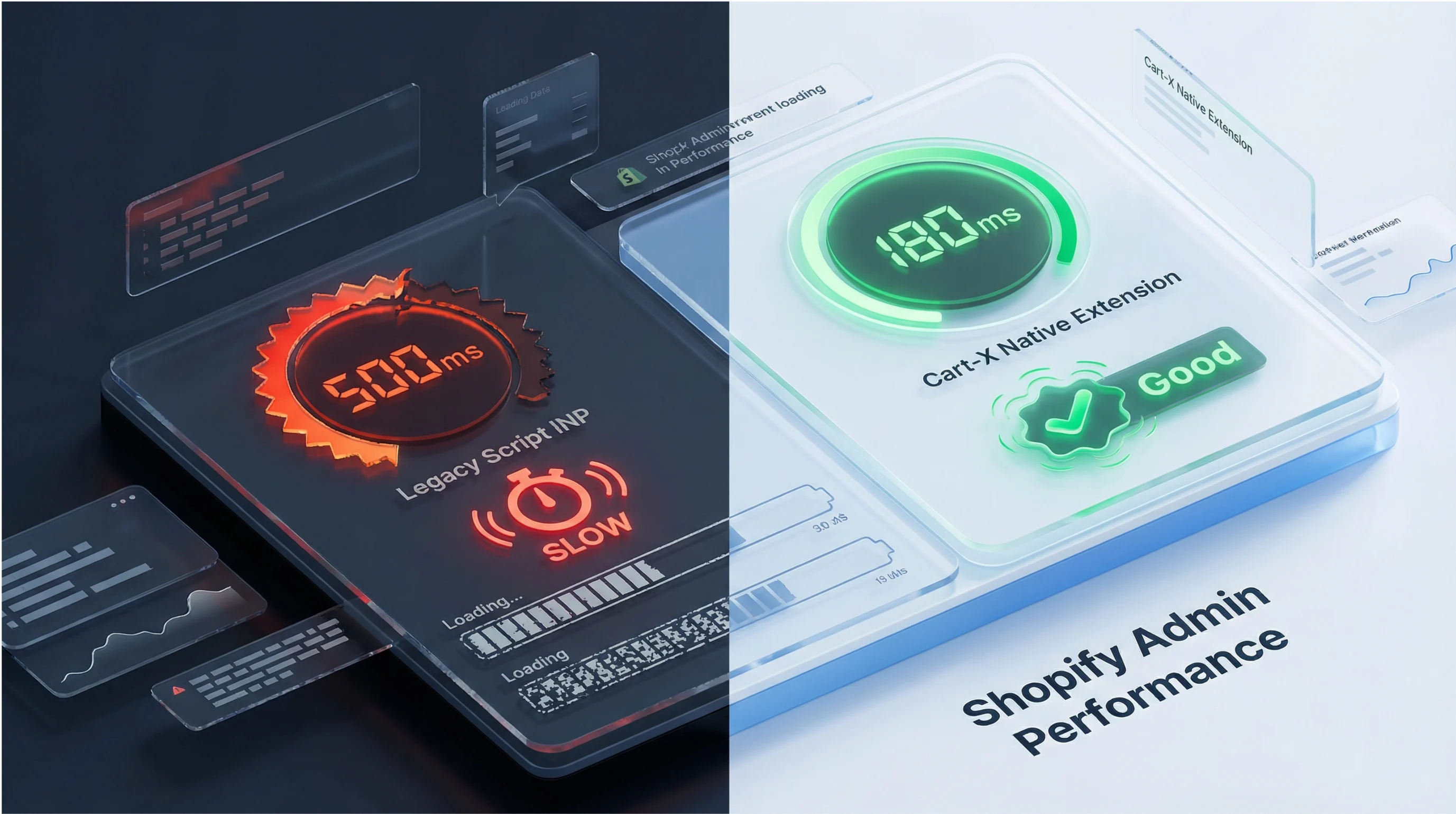
In 2026, Google started penalizing slow checkouts. The metric that matters is Interaction to Next Paint (INP). Google has evolved how it judges site quality, and it now puts responsiveness front and center, with a core ranking metric called Interaction to Next Paint (INP). INP is about how fast your site reacts when a shopper taps, clicks, or interacts.
Some of the apps that helped you increase AOV over the last few years are now hurting your performance scores. These are apps built on checkout.liquid, script tags, or embedded iFrames. The issue with them is that they introduce delays at the exact moment your customer clicks or confirms payments. Those delays stack up and cross Google’s 200ms INP threshold, leading to lower search visibility, higher bounce and abandonment rates, and eventually, lost revenue.
This creates a difficult choice: keep the apps that drive revenue, or keep a checkout that performs well enough to stay visible and competitive. This guide will walk you through what INP actually measures, why legacy checkout apps are failing, and how Shopify’s native Checkout UI Extensions solve the 200ms problem without giving up AOV growth.
What Is INP and Why Does It Matter?
Interaction to Next Paint, or INP, is Google’s way of measuring how responsive your site feels to real users. It tracks the time between when a user takes an action and the moment the browser visually updates in response. In ecommerce, these can include actions like:
- Tapping “Continue to Shipping”
- Selecting a payment method
- Applying a discount code
- Adding a post-purchase offer
In other words, it measures the pause between “I clicked” and “something happened.” Older metrics like First Contentful Paint (FCP) or Largest Contentful Paint (LCP) focused on loading. But shoppers care more about interactions than they care about load times. And these interactions are core to checkout conversion. This means that if your store takes too long to respond, shoppers are likely to repeat clicks, hesitate, or abandon altogether.
Here’s Google’s benchmark for INP:
- Good: ≤ 200ms
- Needs improvement: 200–500ms
- Poor: ≥ 500ms
Having a solid INP score is a revenue signal, and anything above 200ms can cause friction. When a slight delay occurs on a product page, the user might consider it annoying. But it can be a deal-breaker when it happens at checkout.
That’s why Shopify now highlights INP inside its Web Performance dashboard, and why Google uses it as a ranking signal across your site. Aside from hurting conversions, a slow checkout can drag down your organic traffic, too.
The Legacy App Tax: How Old Upsells Kill Your Score
Shopify stores struggle to stay under 200ms because older apps interact with the browser. Many legacy upsell and post-purchase apps were built in a different era from Shopify. They work by injecting external scripts or legacy checkout.liquid snippets into checkout.
These pieces run on the main thread and compete for processing time, which blocks the browser from reacting quickly to user input. A customer clicks “Pay now,” and the browser pauses while it finishes running external scripts. This pause is what INP measures.
This is the legacy app tax. You don't see it on your invoice. But you pay for it in responsiveness, rankings, and lost conversions.
Here’s how the most common legacy methods stack up:
The Solution: Native UI Extensions (The 200ms Fix)
Shopify’s introduction of the Checkout Extensibility and Native Checkout UI Extensions was a response to the existing problems. These replacements brought a new way to customize checkout without sacrificing performance, security, and compliance.
Native Checkout UI Extensions replace injected scripts with sandboxed modules that run inside Shopify’s controlled environment. That architectural change is the difference between hoping your checkout stays fast and knowing it will.
Here’s what changes:
- No main thread blocking: Extension code is isolated. It can’t hijack the browser’s responsiveness.
- Predictable performance: Shopify enforces strict performance budgets, which keep interactions fast and consistent.
- Future-proof updates: As Google evolves Core Web Vitals, Shopify can adapt the framework without breaking your checkout.
This is why Shopify is fully deprecating checkout.liquid customizations to prevent slow, fragile checkouts from dragging down the entire ecosystem. Now Shopify owns the rendering pipeline, which makes apps to integrate without interference.
Checkout Extensibility vs. checkout.liquid: The Speed Comparison
When you look at both approaches through the lens of the 200ms INP threshold, the difference is hard to ignore:
Native UI Extensions let you keep the revenue-generating moments like upsells, offers, and confirmations while removing the performance tax that used to come with them. Cart-X is built on this architecture. It delivers post-purchase upsells without the performance penalty.
The Shopify INP 200ms Fix: A Step-by-Step Solution
Fixing your INP problem is not as technical or complex as you think it is. Your first step is to migrate to Checkout Extensibility and replace legacy apps with native UI Extension apps. Here’s how to do it without breaking your checkout or your momentum.
Step 1: Audit Your Checkout Responsiveness
Run your store through Google PageSpeed Insights and look specifically at the INP score. Shopify also surfaces this data inside the Web Performance dashboard, which pulls from real user metrics.
If your INP is above 200ms, that’s Google telling you that checkout feels slow to users, especially on mobile. The implications of slower responsiveness are:
- More abandoned checkouts
- Lower mobile conversion rates
- Less organic visibility over time
This step gives you a clear signal of whether responsiveness is costing you traffic and conversions right now.
Step 2: Identify the Culprits
Next, look at what’s touching your checkout. The usual suspects are apps or custom code that rely on:
- checkout.liquid
- Script tag injections
- iFrames loading external content
Remember that these tools were built for a different era of Shopify, and they often run code on the main thread, which is exactly what INP penalizes. This is where many merchants realize something uncomfortable: the apps that helped grow AOV in the past are now quietly dragging performance down.
Step 3: Replace and Rebuild the Right Way
Once you’ve identified legacy dependencies, the final step is to replace legacy apps with native Checkout UI Extensions apps that are built for Shopify’s new architecture. These apps don’t block the main threads and are designed to stay under the 200ms INP threshold.
The Cart-X Advantage: Automating Performance
For merchants who rely on post-purchase upsells to drive AOV, Checkout Extensibility is a competitive edge. Cart-X was rebuilt from the ground up on Shopify’s native UI Extension architecture. That means that every one-click post-purchase upsell runs as a Checkout UI Extension, aligned with Shopify’s performance model and Google’s expectations. The results include:
- High-converting post-purchase offers
- Fast, predictable interactions
- And INP scores that stay where Google wants them
All these yield for you a solid revenue strategy.
- Zero risk, zero code, zero INP penalty
When you install Cart-X, you’re installing a Shopify-validated, native module. This means that you don’t have to worry about adding layers of JavaScript that slow down checkout, and your upsell offers work.
And when Shopify upsells work, you enjoy higher AOV, better unit economics, and more profit per customer without sacrificing SEO or user experience.
- The mobile-first speed test
INP exposes weaknesses, especially on mobile devices, where processing power is limited and networks are less stable. And since over 70% of Shopify traffic happens on mobile, this is where slow responsiveness hurts the most. If your checkout hesitates on a tap, you feel it immediately in conversion rate.
This is where Cart-X's native architecture shines the most. It has one-click upsells that load instantly, respond immediately, and comfortably stays below the 200ms threshold.
That means:
- Less friction at the moment of purchase
- Higher post-purchase acceptance rates
- Stronger Core Web Vitals across the board
Experiences like these help customers move forward without friction, and reassure them that your store is smooth, modern, and trustworthy.
Your 2026 Checkout Speed Action Plan
To protect your store from the growing responsiveness crisis, follow this simple transition plan:
- Check your INP score using PageSpeed Insights or Shopify’s Web Performance report
- Uninstall apps and custom code that rely on checkout.liquid, script tags, or iFrames.
- Replace legacy tools with native UI Extension solutions like Cart-X
In 2026, search visibility depends on speed. Performance is now a revenue lever. A 200ms delay might seem small, but multiplied across thousands of sessions, it quietly costs you rankings, conversions, and revenue.
A checkout that responds instantly builds trust, protects organic traffic, and converts better; especially on mobile. By embracing native Checkout UI Extensions and choosing performance-first tools like Cart-X, you don’t just fix an INP score. You build AOV growth on a foundation that’s fast, stable, and ready for whatever comes next.
Cart-X merchants get sub-200ms response times and 10-15% post-purchase conversion rates. Fast checkout. Higher AOV. No tradeoff.
Start your free Cart-X trial and see the difference native architecture makes.
The Performance & Profit FAQs
What is the pass/fail INP score for 2026?
200ms. Google's threshold is binary. If your checkout takes longer than 200ms to respond, your Core Web Vitals score suffers. In 2026, laggy buttons hurt both rankings and conversions.
Will cutting legacy apps kill my AOV?
No. It unlocks it. Legacy apps use script injection that often flickers or fails on mobile. Replacing them with native UI Extensions like Cart-X keeps your upsell offers working while removing the performance tax. Most merchants see a conversion lift because the offers feel like part of the brand, not a third-party popup.
Where do I find my store's real performance data?
Real-user data matters more than lab tests. Go to your Shopify Admin → Web Performance dashboard. This pulls actual metrics from your real traffic. For a quick audit of your checkout URL, use Google PageSpeed Insights.
Is native Checkout Extensibility still Plus-only?
That's a myth. While it launched as a Plus feature, native post-purchase upsells are now fully available on Basic, Shopify, and Advanced plans. Enterprise-grade checkout performance without the $2k/month price tag.
How long is the migration downtime?
Zero. It's a hot-swap. You install Cart-X, set your offers in the visual editor, and toggle it on. The process takes under 30 minutes, requires no custom code, and your live checkout stays untouched until you activate.
Does Cart-X add to my script bloat?
No. Unlike legacy apps, Cart-X runs in Shopify's native sandbox. It doesn't compete for the browser's main thread, meaning zero impact on your base page speed. It's built to live inside the checkout, not on top of it.
Don't miss out on expert e-commerce and marketing insights! Subscribe to our newsletter for valuable tips in just a few clicks.

.svg)


