
Why Ad Blockers Can’t Touch Native Shopify Upsells
Stop losing 25% of your upsell revenue to invisible blockers. See why legacy apps are failing and how to make your offers 100% visible.
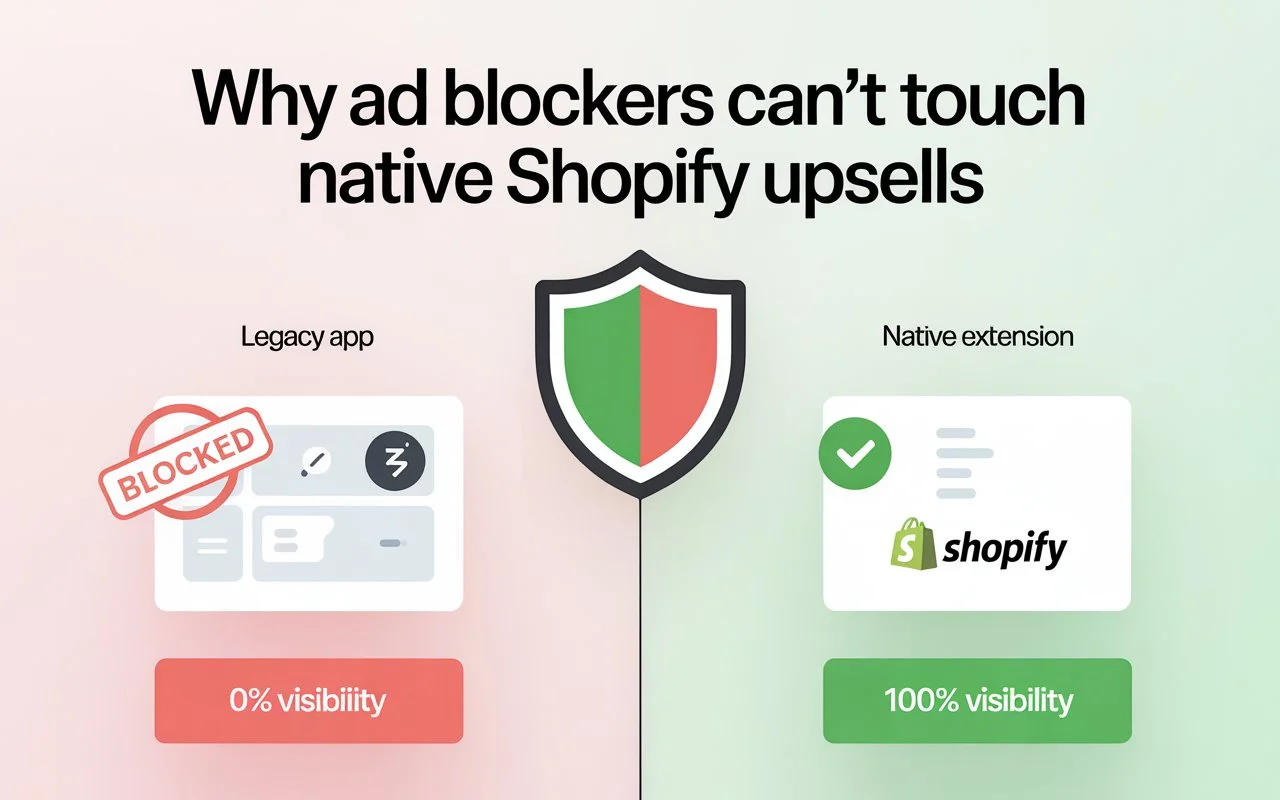
Your upsell dashboard says 1,000 impressions. But what if 250 customers never actually saw the offer?
Ad blockers and privacy browsers treat third-party scripts as threats. They block them silently. No error message. The upsell just doesn't load.
If 25% of your customers browse with privacy protections enabled, you're leaving 25% of your upsell revenue on the table.
Here's why legacy apps are failing, and why native upsells built on Checkout UI Extensions are the only way to stay visible.
Why More Customers Are Blocking Your Scripts Than Ever
Ad blocking has now become a mainstream behavior. Around 42% of global internet users now use some form of ad-blocking software. That’s nearly half of your potential customers.
It gets even more interesting when we look at statistics among mobile users, as Safari holds roughly 27% of the mobile browser market share globally. By default, Safari runs Intelligent Tracking Prevention (ITP), which is a system that is designed to limit cross-site tracking and third-party scripts.
Then there’s Brave, which reports over 60 million monthly active users and blocks third-party trackers automatically. Firefox also enables Enhanced Tracking Protection by default.
This pattern shows that privacy is now baked into the browsing experience. Ad blockers are engineered to restrict:
- Third-party cookies
- External JavaScript from non-store domains
- Tracking pixels
- Cross-origin iFrame content
This is where merchants must pay attention. During testing, you may use Chrome with no extensions installed, and everything loads perfectly from your end. Your upsell appears, and your one-click purchase works. However, your customer may be on any of these browsers:
- Safari with ITP active
- Brave with Shields up
- Firefox in strict mode
- Chrome with uBlock Origin installed
Those are completely different browsing environments from what you tested on. If your upsell app depends on third-party scripts loading from external domains, privacy tools see that as tracking behavior, so they block it. This is why “ad blockers Shopify” searches have been rising. Merchants are noticing inconsistencies. Offers that work in testing sometimes don’t appear in real traffic.
How Legacy Upsell Apps Get Blocked
Most legacy upsell apps use one of three methods to inject offers into checkout. All three depend, in some way, on third-party scripts.
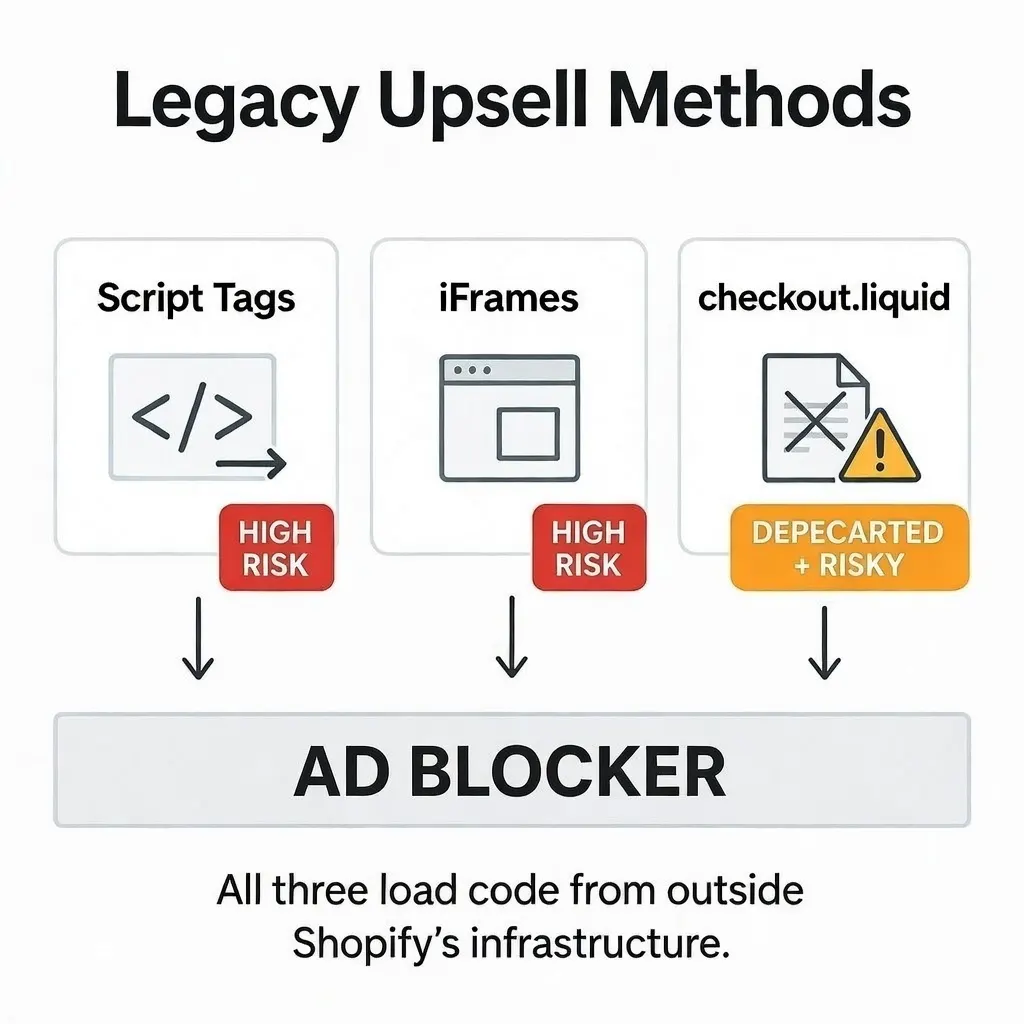
- Script Tags (High Risk)
The app injects a script into your checkout that loads JavaScript from the app’s own server. To a privacy browser, that looks like a tracking attempt. It gets blocked. If the script gets blocked, your upsell offer stays hidden. Your dashboard might still count it as a load, even if the customer saw a blank screen.
The page continues loading normally, and the customer sees a thank-you page with no offer. Your dashboard may still log an impression because the load was attempted. But the customer saw nothing.
This is why many merchants report their “upsell app not working” intermittently. It’s not intermittent. It’s user-dependent.
- iFrames (High Risk)
Some apps load the upsell inside an iFrame, which embeds content from another domain inside your checkout.
Privacy tools often block cross-origin iFrames, especially if cookies or session data are involved. Even if the frame loads, cookies and session data may not pass correctly. That can break one-click purchase flows.
So even if the offer appears visually, the checkout interaction may fail. In most cases, you won’t see this friction in your own testing.
- checkout.liquid Customizations (Deprecated + Risky)
Before Shopify transitioned to Checkout Extensibility, merchants could inject custom code using checkout.liquid. That flexibility came with instability.
Shopify deprecated checkout.liquid in favor of Checkout UI Extensions for performance and security reasons. Apps still relying on that legacy method face compatibility issues and blocking risks, especially as privacy protections become more aggressive.
If you’re still on this architecture, you should review Shopify’s migration guidance and consider moving to extensibility-based solutions. (We cover this in our detailed Checkout Extensibility guide.
The common thread in all three methods is that they load code from outside Shopify’s core infrastructure, which is exactly what privacy tools are designed to scrutinize.
How to Check If Your Upsells Are Being Blocked
If you’re wondering whether this applies to your store, you should check. Here’s how to know if your upsells are being blocked:
Step 1: Test in Safari Private Mode
Start by attempting to complete a test purchase using Safari with Private Browsing enabled. Safari’s Intelligent Tracking Prevention is strict. If your upsell appears here and functions correctly, that’s a good sign. If it doesn’t appear at all, that’s your first red flag.
Step 2: Test in Brave
Next stop, Brave. Install the app and keep Shields enabled. Complete a purchase and click the Shields icon in the address bar. It will show what was blocked. If your upsell app’s domain appears in the blocked list, customers using Brave never see your offer.
Step 3: Test in Firefox Strict Mode
In Firefox, enable Enhanced Tracking Protection in “Strict” mode. Run the same checkout flow.
Again, look for:
- Offer not rendering
- One-click purchase failing
- Flicker-then-disappear behavior
Step 4: Compare Impressions to Orders
If your store had 1,000 orders but your upsell impressions are 700–800, something is off. Healthy native visibility should track closely with order volume. If there’s a 20–30% gap, that’s a strong signal that blocking is a likely cause.
If everything works across all browsers? Great. You’re either using a native solution, or you’ve been lucky.
Why Native Shopify Upsells Don’t Get Blocked
Shopify introduced Checkout Extensibility and Checkout UI Extensions to modernize how apps interact with checkout. Instead of injecting external scripts, native extensions run inside Shopify’s own infrastructure. Here’s an overview of how they compare:
To an ad blocker, a native extension looks like part of Shopify itself.
Ad blockers operate using filter lists of known tracking domains. Shopify’s CDN is not on those lists, as blocking Shopify’s infrastructure would break millions of legitimate stores. So native extensions aren’t “whitelisted.” They’re structurally indistinguishable from core checkout code. That’s why they’re effectively “ad blocker proof.”
Also, when your upsell matches Shopify’s design system, such as the fonts, spacing, and buttons, it feels official and less like an injected ad.
If you’ve been following discussions around Interaction to Next Paint (INP) and checkout speed, you already know that slower scripts can affect user experience. Native architecture removes that overhead.
What 100% Visibility Actually Means for Revenue
If you process 1,000 orders per month, and your post-purchase upsell converts at 12% at an average value of $20. Now. if 25% of those offers are blocked, it means:
- 750 real impressions
- 90 conversions
- $1,800 upsell revenue
On the flip side, if 100% of offers are visible, you get:
- 1,000 impressions
- 120 conversions
- $2,400 upsell revenue
That’s a $600 monthly difference and $7,200 per year. And this maths is based on the assumption that you process just 1,000 orders. If you scale that to 5,000 monthly orders with a 30% blocking rate, the numbers can climb into five figures.
Here’s the bottom line:
Switching to native doesn’t magically improve your offer. It simply allows your offer to perform at its true potential. If your upsell strategy is strong but partially invisible, your AOV ceiling has been artificially capped. Recovering visibility is often the simplest way to increase post-purchase revenue without increasing traffic or discount depth.
How Cart-X Solves the Visibility Problem
Cart-X was built natively on Shopify’s Checkout Extensibility framework from day one. This means that:
- Code runs inside Shopify’s infrastructure
- No third-party script injection
- No external iFrames
- No checkout.liquid dependency
- Zero impact on checkout speed
Because your offer loads as part of Shopify’s checkout, it arrives on time. Cart-X also focuses on frictionless one-click post-purchase offers, making the visibility advantage compound. Setting this up is straightforward. Simply take the following steps:
- Install from the Shopify App Store
- Configure your post-purchase offer
- Activate in the Checkout Editor
- Test in Safari or Brave to confirm visibility
Most merchants switching from legacy apps see a noticeable lift in post-purchase conversions within the first week because their offers are finally visible to everyone. And when every customer sees your one-click upsell, your AOV strategy starts operating at full capacity.
Conclusion
Ad blockers aren't going away. They're becoming the default. If your upsell relies on third-party scripts, part of your audience will never see it.
Native Checkout UI Extensions fix this at the architecture level. First-party code. 100% visibility. Every customer sees your offer. Cart-X is built natively for exactly this reason.
Stop losing revenue to invisible blockers. Start your free Cart-X trial and see what full visibility does for your conversion rate.
FAQs
What percentage of customers use ad blockers?
Around 42% globally. On mobile, it's higher because Safari and Firefox block third-party scripts by default.
How do I know if my Shopify upsell is not showing?
Test your checkout in Safari Private Mode, Brave with Shields enabled, and Firefox Strict Mode. If your upsell doesn’t appear consistently, you likely have a blocking issue. Also, compare total orders to upsell impressions. Large gaps often indicate visibility problems.
Do native Shopify upsells work on all plans?
Yes. Native Checkout UI Extensions work across Shopify plans, including Basic and Advanced, for post-purchase placements.
Can ad blockers block native UI Extensions?
In theory, they could block Shopify’s CDN. In practice, doing so would break millions of stores. No major blocker does this.
Is switching to a native upsell app complicated?
Not usually. Most native apps integrate directly through Shopify’s checkout editor without theme edits or script injections.
Don't miss out on expert e-commerce and marketing insights! Subscribe to our newsletter for valuable tips in just a few clicks.

.svg)


